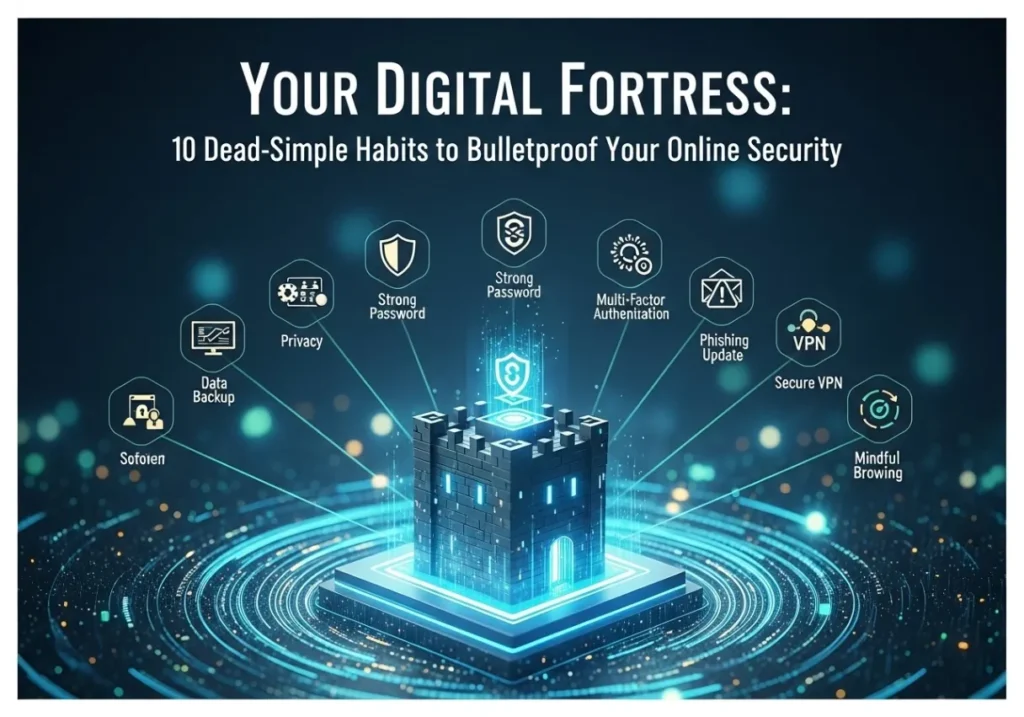
Your Digital Fortress: 10 Dead-Simple Habits to Bulletproof Your Online Security
Stop hackers in their tracks. It’s easier than you think. Start with these simple, powerful habits today.
Ever felt that stomach-drop moment? The “unusual sign-in activity” email? The sudden realization that your account might be in someone else’s hands? In our hyper-connected world, online security isn’t just for tech gurus—it’s for everyone. The good news? You don’t need a degree in cybersecurity to protect yourself. Building a digital fortress is about creating a few simple, powerful habits.
Let’s break down 10 easy-to-adopt habits that will drastically improve your online safety, turning you from an easy target into a well-defended fortress.
1. Adopt a Password Manager
What is it?
A password manager is a secure, encrypted digital vault that creates, stores, and fills in unique, complex passwords for all your online accounts. You only need to remember one single, strong “master password” to unlock the vault.
Why is it critical?
Humans are terrible at creating and remembering strong, unique passwords. We reuse simple ones like “Password123” or “FluffyTheCat!” across multiple sites. If one of those sites is breached, attackers can use that same password to access your email, banking, and social media. A password manager solves this problem completely.
How do you do it?
Choose a reputable password manager like Bitwarden (free and open-source), 1Password, or Dashlane. Install it on your computer and phone. Start by saving the password for one important account (like your email). Over time, use its password generator to update all your other accounts to have unique, ridiculously strong passwords like w8&zK#pXv@9!bN2q.
Instead of trying to remember 50 different weak passwords, you remember one strong master password. The manager handles the rest, making you instantly more secure across your entire digital life.
2. Use Two-Factor Authentication (2FA)
What is it?
Think of it as a second lock on your digital door. After you enter your password (the first factor), the service asks for a second piece of proof that it’s you. This is usually a temporary code sent to your phone, generated by an app, or from a physical security key.
Why is it critical?
Even if a hacker steals your password, they can’t log in without that second factor. It’s one of the single most effective ways to secure your important accounts (email, banking, social media).
How do you do it?
Go into the security settings of your important accounts (Google, Apple, Instagram, your bank) and look for “Two-Factor Authentication,” “2-Step Verification,” or “Login Security.” The best method is to use an authenticator app like Google Authenticator, Authy, or Microsoft Authenticator, which is more secure than receiving codes via SMS text message.
A password is like the key to your front door. 2FA is like the deadbolt on the inside that requires a separate key. A thief might pick the first lock, but they’ll be stopped by the second.
3. Update Everything, Always
What is it?
Consistently installing updates for your operating system (Windows, macOS, iOS, Android), web browser, and other applications as soon as they become available.
Why is it critical?
Software isn’t perfect. Companies constantly discover security vulnerabilities—tiny cracks in the code that hackers can exploit. Updates aren’t just for new features; they are primarily for “patching” these cracks to keep attackers out. Running old software is like leaving a window open for digital burglars.
How do you do it?
Turn on automatic updates wherever possible. For your computer, check for system updates weekly. For your phone, enable automatic app updates. Don’t ignore those “Update Available” pop-ups!
The massive WannaCry attack in 2017 crippled hospitals and businesses worldwide by exploiting a vulnerability in outdated versions of Windows. A patch was available, but systems that hadn’t been updated were left exposed.
4. Spot and Dodge Phishing Scams
What is it?
Phishing is when attackers send fraudulent emails, texts, or messages disguised as legitimate communications from a company you trust (like your bank, Netflix, or Apple). Their goal is to trick you into clicking a malicious link, downloading a virus, or giving away your login credentials.
Why is it critical?
This is the number one way hackers get initial access to your accounts. They prey on human emotions like urgency, fear, and curiosity.
How do you do it?
Pause before you click. Look for red flags:
- Sense of Urgency: “Your account will be suspended in 24 hours!”
- Generic Greetings: “Dear Valued Customer” instead of your name.
- Suspicious Links: Hover your mouse over the link (don’t click!) to see the actual URL. A link from “Apple” shouldn’t point to `apple-support.scam-site.biz`.
- Spelling & Grammar Mistakes: Reputable companies proofread their emails.
5. Lock Down Your Home Wi-Fi
What is it?
Treating your home Wi-Fi network like the main gate to your digital castle. This means ensuring it has a strong password and modern security settings.
Why is it critical?
An unsecured or weakly secured Wi-Fi network allows anyone nearby to connect, potentially spying on your internet traffic, accessing shared files on your devices, or using your connection for illegal activities.
How do you do it?
1. Change the Default Router Password: Don’t use the `admin`/`password` combo printed on the sticker. Create a new, strong admin password.
2. Use a Strong Wi-Fi Password: This is the password you use to connect your devices. Make it long and complex.
3. Enable WPA3 Encryption: In your router settings, choose WPA3 if available. If not, WPA2 is the next best option. Avoid old standards like WEP or WPA.
Leaving your Wi-Fi with the default password is like leaving the keys to your house under the doormat. Everyone knows where to look.
6. Be Mindful of Downloads
What is it?
Treating every file you download from the internet with caution, especially from unofficial sources. This includes software, documents, and media files.
Why is it critical?
Malware (malicious software) often disguises itself as a legitimate or desirable file. A “free movie player” could actually be ransomware that encrypts all your files and demands payment. An innocent-looking PDF could contain a virus.
How do you do it?
Only download software from official websites or trusted app stores (Apple App Store, Google Play Store, Microsoft Store). Be very wary of attachments in unexpected emails. If a website is covered in flashy “DOWNLOAD NOW” buttons, it’s often a red flag. Always have a reputable antivirus program running and keep it updated.
You search for a free version of paid software. You land on a shady website that offers a “free_installer.exe”. This file is almost certainly malware. Always pay for software or use reputable free alternatives from official sources.
7. Manage App & Extension Permissions
What is it?
Regularly checking and questioning the permissions that your smartphone apps and browser extensions request. Do they really need access to your camera, microphone, or contacts?
Why is it critical?
We often grant permissions without thinking. A malicious or poorly secured app with access to your data can become a backdoor for hackers. Over-permissioned apps can collect and sell your data without your knowledge.
How do you do it?
On your phone, go to Settings > Privacy > Permission Manager (or similar). Review which apps have access to sensitive data like your location, contacts, and microphone. Revoke any permissions that don’t make sense. Do the same for your browser extensions. Remove any you don’t use or recognize.
“Why does this simple calculator app need access to my contact list and location?” If you can’t find a good reason, deny the permission.
8. Make Regular Backups
What is it?
Creating copies of your important files (photos, documents, etc.) and storing them in a separate, safe location, either on an external hard drive or in a cloud backup service.
Why is it critical?
This is your ultimate safety net. If your computer is stolen, a hard drive fails, or you fall victim to ransomware that encrypts all your files, a recent backup means you won’t lose everything. You can simply restore your data and carry on.
How do you do it?
Follow the 3-2-1 rule: Keep at least 3 copies of your data, on 2 different types of media (e.g., your computer and an external drive), with at least 1 copy stored off-site (e.g., a cloud backup service like Backblaze or iDrive, or an external drive you keep at the office).
If a hacker encrypts your files and demands $1,000 to unlock them, your response can be “No, thanks.” You simply wipe the infected computer and restore your files from your clean backup. The hacker has zero leverage.
9. Use a VPN on Public Networks
What is it?
A Virtual Private Network (VPN) is an app that creates a secure, encrypted “tunnel” for your internet traffic. It hides your online activity from anyone on the same network.
Why is it critical?
Public Wi-Fi (at cafes, airports, hotels) is notoriously insecure. Attackers on the same network can potentially “eavesdrop” on your connection, stealing passwords or financial information. A VPN makes your traffic unreadable to them.
How do you do it?
Subscribe to a reputable VPN service (like Mullvad, ProtonVPN, or IVPN). Install their app on your devices. Whenever you connect to a public Wi-Fi network, turn on the VPN with a single click. It’s that simple.
Using public Wi-Fi without a VPN is like sending postcards through the mail—anyone who handles them can read them. Using a VPN is like putting those postcards in a sealed, armored truck.
10. Limit What You Share Online
What is it?
Being conscious of the personal information you share on social media and other public platforms. This involves setting your profiles to private and thinking twice before you post.
Why is it critical?
Attackers are expert researchers. They use information you post publicly—your birthday, pet’s name, mother’s maiden name, your location—to guess your passwords, answer your security questions, or craft highly convincing, personalized phishing attacks against you.
How do you do it?
1. Review Privacy Settings: On Facebook, Instagram, etc., set your profile visibility to “Friends Only.”
2. Don’t Announce Vacations: Avoid posting “We’re away in Hawaii for two weeks!” as it’s an open invitation to burglars (both digital and physical). Share photos when you get back.
3. Beware of Quizzes: Those fun “What’s your Star Wars name?” quizzes often ask for information like your first pet’s name or the street you grew up on—common security question answers.
If you post a picture of your new puppy “Fido” on your public Instagram, a scammer might try “Fido2024” as a password for your other accounts. It’s that simple.
Your Interactive Security Checklist
Take control! Click each item to check it off and track your progress.
Security is a Journey, Not a Destination
You don’t have to do everything at once. Pick just one unchecked item from the list above and implement it today. Each small step you take makes your digital fortress stronger. Start now, and build a safer digital life one habit at a time.



I am glad to be a visitant of this arrant web blog! , appreciate it for this rare info ! .
thanks for your appreciation.
Oh my goodness! an amazing article dude. Thanks However I’m experiencing difficulty with ur rss . Don’t know why Unable to subscribe to it. Is there anybody getting equivalent rss problem? Anyone who knows kindly respond. Thnkx
I loved as much as you’ll receive carried out right here. The sketch is tasteful, your authored subject matter stylish. nonetheless, you command get bought an impatience over that you wish be delivering the following. unwell unquestionably come more formerly again since exactly the same nearly a lot often inside case you shield this hike.
Greetings from Los angeles! I’m bored to death at work so I decided to browse your website on my iphone during lunch break. I enjoy the knowledge you provide here and can’t wait to take a look when I get home. I’m surprised at how quick your blog loaded on my mobile .. I’m not even using WIFI, just 3G .. Anyways, superb site!
Thanks for your appreciation.
You made some nice points there. I did a search on the subject and found most guys will go along with with your site.
Thanks.
Hi, i think that i saw you visited my blog thus i came to “return the favor”.I’m trying to find things to improve my web site!I suppose its ok to use a few of your ideas!!
Sure. Thanks.
I like foregathering utile information , this post has got me even more info! .
Thanks.
Appreciating the commitment you put into your website and detailed information you offer. It’s great to come across a blog every once in a while that isn’t the same outdated rehashed material. Wonderful read! I’ve bookmarked your site and I’m adding your RSS feeds to my Google account.
Thanks for your appreciation regarding this site. Have a nice day.
I like the efforts you have put in this, thanks for all the great posts.
Thanks.
Pretty element of content. I just stumbled upon your blog and in accession capital to claim that I acquire actually loved account your weblog posts. Anyway I’ll be subscribing to your augment or even I success you get right of entry to consistently quickly.
A person essentially help to make seriously posts I would state. This is the first time I frequented your web page and thus far? I amazed with the research you made to make this particular publish amazing. Great job!
Thank you for the sensible critique. Me and my neighbor were just preparing to do some research on this. We got a grab a book from our area library but I think I learned more from this post. I am very glad to see such great info being shared freely out there.
Rattling nice design and style and excellent content, very little else we need : D.
Can you be more specific about the content of your article? After reading it, I still have some doubts. Hope you can help me.
This is a very good tips especially to those new to blogosphere, brief and accurate information… Thanks for sharing this one. A must read article.
You have mentioned very interesting points! ps nice web site. “Sutton lost 13 games in a row without winning a ballgame.” by Ralph Kiner.